


Secure & encrypted platform · 18+ only · Play responsibly

Floodlit stadium on a match night

Account Access

FairPlay Login — Getting Into Your Account

Your registered mobile number and your password. That is the whole login. If it is not working, the fixes are below — and so is the part that matters more: how Indian betting accounts actually get stolen, which is almost never by someone guessing a password.

Login with
Mobile + password
Recovery
By OTP
Support
24x7
Staff will ask for OTP
Never

Get Started

Sign in to FairPlay

Email or username, and the password you set when you registered.

Sign in

Use the email address or username you registered with.

No account yet? Create one

Signing In

Four steps, and the first one matters most

Everything after step one is routine. Step one is where accounts are lost.

  1. Go to the site yourselfType the address or use your own bookmark. Do not open a login link that arrived by WhatsApp, Telegram or SMS, however official it looks.
  2. Enter your registered numberThe mobile number you signed up with is your username. There is no separate ID or member code to remember.
  3. Enter your passwordUse the eye icon to check it before submitting rather than guessing twice — repeated failures lock the account temporarily.
  4. Approve the device checkSigning in from a new phone or browser may trigger a one-time code. Enter it on the site yourself; never read it out to anybody.
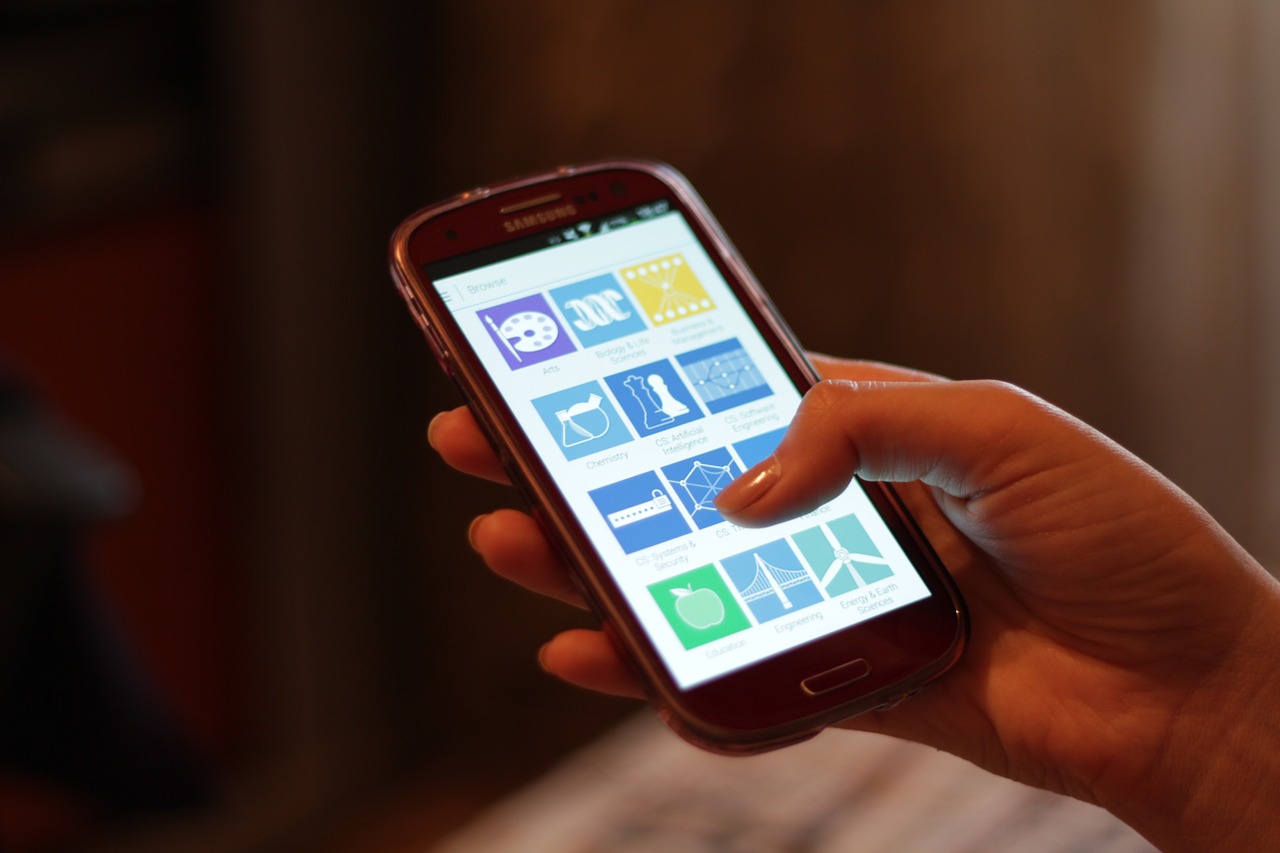
Signing in to an account on a phone with the browser address bar visible
A fake login page can copy every pixel of this site. The one thing it cannot copy is the address in your browser — check it before you type.Océanos y dados / CC0

Read This Once

How betting accounts in India actually get taken

Not by cracking passwords. By persuading the account holder to hand something over — and the approaches are predictable enough to list.

Common account-takeover approaches, what they are after, and the fact that defeats each one
What you receiveWhat they actually wantWhat is true
A call saying your account is blocked — “share the OTP to unblock it”Your one-time codeNo employee of any platform needs your OTP. A genuine block is lifted from inside your account or by support without a code
A customer care number found through a search engineYou to call them instead of usFake support numbers are bought and ranked deliberately. Only use the contact routes published on this site
“Install AnyDesk or TeamViewer so I can help you”Live control of your phoneSupport never needs to see or control your screen. A screen-sharing request is, on its own, proof the call is fraudulent
A login link sent on WhatsApp or TelegramYour password typed into a copy of this siteA fake page can copy the design perfectly. It cannot copy the address — check the address bar before typing anything
Somebody offering to sell you a ready-made IDMoney, plus control of the account you just paid forAccounts are free to create in two minutes. Anyone selling one keeps the credentials and therefore the balance
Your phone loses signal, then OTPs stop arrivingYour number transferred to their SIMThis is a possible SIM swap. Call your mobile operator immediately and contact support from another number

One rule handles nearly all of it. Nobody — not support, not an agent, not a friend setting things up for you — ever needs your OTP or your password. If a conversation is heading toward either of them, the conversation is the attack. End it and contact support through this site.

Unknown caller displayed on a phone screen during an incoming call
Fraudulent support numbers are bought and search-optimised on purpose. Reach us through the contact page rather than through a search result.Ildar Sagdejev (Specious) / CC BY-SA 4.0

Troubleshooting

Cannot get in? Work down this list

Six problems cover almost every login query support receives, and five of them you can fix yourself in under a minute.

Login problems, causes and fixes
ProblemUsual causeWhat to do
Password not acceptedWrong password, or caps lock on a laptopUse Forgot Password and reset by OTP rather than trying more combinations
OTP not arrivingNetwork delay, full inbox, or unknown-sender filtering on the handsetWait a full minute, then Resend once. Check the spam or blocked folder in your messaging app
You cannot remember your FairPlay IDThere is nothing extra to remember — the ID is your mobile numberLog in with the number you registered, then use Forgot Password if needed
Account temporarily lockedSeveral failed login attempts in a rowWait for the lockout to clear, then reset the password properly instead of guessing again
Signed out unexpectedlySession expired, or a login from another deviceLog in again. If it was not you on the other device, change your password immediately
Site will not loadNetwork or DNS problem on your connectionTry mobile data instead of Wi-Fi, or use the app. Contact support if it persists on both

Keeping the account yours

Almost every compromised betting account in India was compromised the same way: the owner gave someone the keys, usually while being helped with something. The platform's security is rarely the weak point. The phone call that came first is.

The OTP is the account

A one-time password is not a formality or a verification step. It is a single-use key that grants full access to your balance. Anyone holding it can log in, change your details and withdraw.

Which means there is no situation — none — in which sharing it makes sense. Not to unblock an account, not to release a stuck withdrawal, not to claim a bonus somebody has phoned to tell you about. Every one of those framings exists specifically because it sounds like a reason. If you remember one line from this page, make it that one.

The search-result support number

This one is particularly effective in India and worth understanding. People lose access, search for a customer care number, and call the first result. Fraudsters buy and optimise those listings precisely because someone searching that phrase is already anxious and already looking for help.

The person who answers will be calm, professional and apparently knowledgeable. They will then ask for an OTP, or ask you to install something. The defence is simple: get support contacts from the contact page on this site, never from a search engine, and never from a number forwarded to you.

Screen sharing is always the attack

If anybody asks you to install AnyDesk, TeamViewer or a similar app so they can help, the call is fraudulent. There is no exception to this and no legitimate version of that request. Genuine support resolves account problems from their own side; they have no need to watch your screen and no permission to control your device.

Once that app is installed and connected, the person on the other end can see everything you type, including your password and any OTP arriving on the same phone. If you have already installed one at somebody's request, uninstall it, change your password from a different device, and tell support.

Unique passwords beat complex ones

A password reused from another site is only as strong as the least careful place you used it. Breaches at unrelated services happen constantly, and the resulting credential lists get tried against betting and payment sites first, because that is where money is.

A password used nowhere else is safer than a complicated one used everywhere. If remembering a different one for every site is unrealistic, a password manager solves it properly, and even writing this one down somewhere private is better than reuse.

Act fast on anything unexpected

An OTP you did not ask for means somebody already has your password. A session ending while you are still using the account means the same. Your phone suddenly losing all service can mean a SIM swap in progress.

In all three cases the right response is immediate rather than wait-and-see: change your password from a device you trust, contact support, and if service has vanished, call your mobile operator. Support runs 24x7 precisely because these things do not happen at convenient hours. Reaching them within minutes is usually the difference between an attempt and a loss.

FAQ

Login and security questions

Recovery, suspicious calls and what to do when something looks wrong.

Read all FAQs
How do I log in to my FairPlay account?

Open the site or the app yourself, enter the mobile number you registered with, and enter your password. A one-time code may be requested if you are signing in from a new device. There is no separate username or member ID — your registered mobile number is your login.

I forgot my password. How do I get back in?

Use Forgot Password on the login screen. A one-time code goes to your registered mobile number, and once you enter it you can set a new password. If you no longer have access to that number, contact support directly — recovery is tied to the registered number by design, and support cannot bypass it over chat.

Will FairPlay ever ask me for my OTP or password?

Never, under any circumstances, through any channel. Not to unblock an account, not to process a withdrawal, not to apply a bonus. Anyone asking for your OTP is trying to take over your account, whatever number they are calling from and whatever they claim their role is. End the call and contact support through the site.

Someone called offering to fix my account if I install AnyDesk. Is that genuine?

No. Support never needs to see or control your screen, so a request to install AnyDesk, TeamViewer or any similar app is on its own conclusive evidence that the call is fraudulent. Do not install it, end the call, and if you already have, uninstall it and change your password immediately.

How do I know I am on the real FairPlay login page?

Check the address in your browser before typing anything. A phishing page can copy the layout, the colours and the logo exactly, but it cannot use the real domain. The safest habit is never to log in from a link somebody sent you — navigate to the site yourself or use a bookmark you created.

Why do I keep getting logged out?

Sessions expire after a period of inactivity, and logging in on a new device can end the session on an old one. Both are normal. What is not normal is being logged out repeatedly while you are actively using the account — if that happens, change your password and contact support, because it can indicate somebody else signing in.

I received an OTP I did not request. What should I do?

Somebody has your password and is trying to get in. Do not share the code with anyone. Change your password immediately from a device you trust, and contact support so the attempt can be looked at. An unrequested OTP is a warning, and acting on it within minutes is what keeps a recoverable situation recoverable.

My number has stopped receiving calls and messages. Could that affect my account?

Possibly, and it is worth acting quickly. A sudden total loss of mobile service can indicate a SIM swap, where somebody has had your number moved to their SIM in order to receive your OTPs. Contact your mobile operator straight away, and contact FairPlay support from a different number so the account can be protected while you sort it out.

See all FAQs

Get Back In

Sign in, or start fresh

Log in with your registered mobile number — or open an account if you do not have one yet.

  • Recovery by OTP
  • Support 24x7 in English and Hindi
  • Staff never ask for your OTP

Explore FairPlay